
Grand Theft Auto: Vice City
Rockstar GamesArcade
3.318.94K Reviews
- Version
- 1.12.259
- Installs
- 1.00M
- Age Rating
- Mature 17+
Screenshots
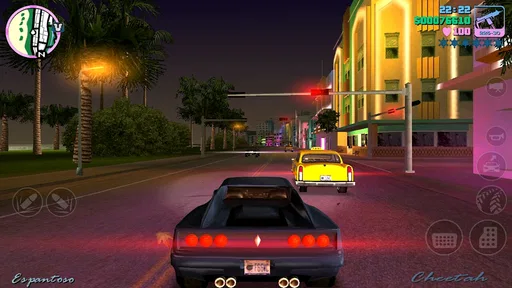
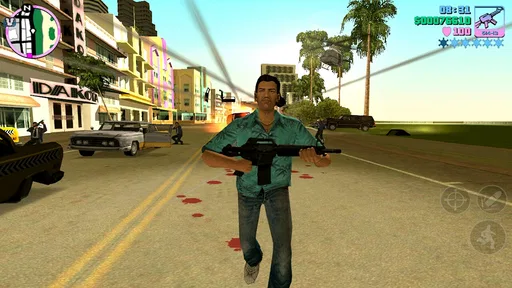
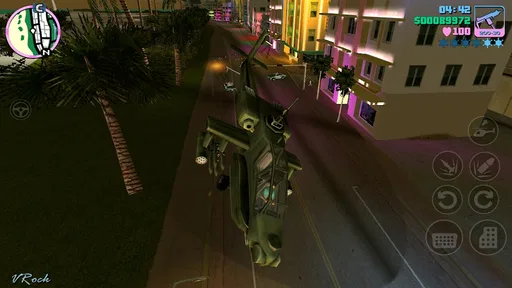
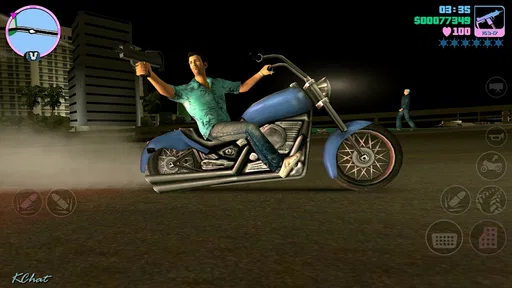
Our Review of Grand Theft Auto: Vice City
 Analysis by Appyee
I spent time with Grand Theft Auto: Vice City on mobile expecting a familiar open-world crime game, but what stood out most was how much the experience depends on the way you play rather than simply whether the game runs. This is an arcade-style game from Rockstar Games, set in a colorful 1980s-inspired city where driving, missions, exploration, and troublemaking constantly compete for your attention. The basic appeal is easy to understand, yet the touch interface creates a very different relationship with the game than a traditional controller does.
The mobile edition is aimed at players who want a substantial single-player game they can carry around, not a quick round-based distraction. I found it most enjoyable when I treated each session as a small visit to Vice City: complete a mission, explore a neighborhood, try a vehicle, or simply save and return later. It can work well for someone who already knows the original game, but it also remains approachable for a newcomer who is comfortable learning several touch controls at once.
There is an important practical detail before getting into the experience. This is a paid game at $4.99, with in-app purchases listed at $4.99 per item, and it carries a Mature 17+ rating. The current version is 1.12.259 and requires OS 9 or later. Rockstar Games has brought the full Vice City identity to mobile rather than turning it into a simplified arcade spin-off, and that ambition is both its greatest strength and one of its biggest challenges.
Readable streets, busy menus, and learning the route
Vice City is visually loud in a deliberate way. Bright colors, neon signs, distinctive buildings, beaches, roads, and changing districts make the world easy to recognize once I learned its layout. I rarely felt lost because the city has a strong visual personality. Even when I did not remember the exact street, the surrounding architecture and landmarks usually helped me work out where I was.
That visual clarity does not mean every moment is equally easy to read. During driving, traffic, pedestrians, mission markers, police activity, and the movement of the camera can all compete for attention. On a larger phone or tablet, the game is easier to scan because the action has more room to breathe. On a smaller screen, I found myself relying more on memory and less on tiny visual prompts, especially when moving quickly through a crowded area.
The map is most useful when I pause before rushing into a mission. I recommend checking the route, identifying the general direction, and then driving with the map closed whenever possible. Constantly looking down at navigation while driving makes the game feel more cramped and can turn a simple trip into a chain of collisions. Learning the city gradually is not just more immersive; it reduces the amount of visual information I need to process during action scenes.
Menus and mission prompts are functional, but they are not designed like a modern productivity app with large, quiet controls and extensive customization. Players who already understand game conventions will adjust quickly. Someone with limited vision, attention fatigue, or difficulty distinguishing small interface elements may need more time and a calmer environment. I found that pausing between objectives helped me read the situation instead of trying to interpret everything while moving.
Why the city layout matters more than the map
One of the less obvious advantages of Vice City is that its world eventually becomes a memory aid. The beach, commercial areas, residential streets, and industrial spaces feel different enough that I could use them as mental landmarks. This matters for players who find constant map reading tiring. After some exploration, I could navigate by broad visual zones rather than repeatedly opening a small map.
This also creates a useful routine for shorter sessions. If I only had a little time, I could stay near a familiar district, complete a nearby activity, and avoid the cognitive load of crossing the entire city. That approach is better than beginning a long mission when I knew I might need to stop unexpectedly.
The game does not feel equally readable in every situation. Fast driving, combat, and sudden police chases create visual pressure, while walking around a familiar neighborhood is much more manageable. I would not judge the whole interface by its calmest moments or its busiest ones. The accessibility experience changes sharply with the pace of play.
Touch controls, movement demands, and sensory load
The central accessibility question is whether touch controls feel comfortable for you. I could move around, drive, aim, attack, and interact using on-screen controls, but these actions require more coordination than simply tapping a menu. My thumbs sometimes obscured part of the scene, and I occasionally made an unwanted movement while trying to reach another control. That is a normal friction point for a large console-style game adapted to a phone.
Driving was the clearest example. Steering, acceleration, braking, camera awareness, and traffic all arrive together. I found it easier to drive at a moderate pace than to force high-speed turns, especially during missions where a mistake meant restarting a sequence. Players with reduced fine-motor control may prefer slower approaches, wider roads, and deliberate movements. The game often rewards patience even when its story and action encourage reckless behavior.
Combat places a different demand on the hands. It combines movement with aiming and quick reactions, so anyone who experiences hand fatigue or difficulty with simultaneous controls may find these moments more demanding than exploration. I had better results when I positioned myself before engaging rather than trying to move, aim, and react all at once. That is a practical habit, but it does not remove the underlying control challenge.
For me, the best sessions came from holding the device securely, keeping my hands relaxed, and avoiding overly ambitious play when tired. A phone resting awkwardly on a lap made driving and aiming less consistent. A stable grip helped more than I expected. If a player has significant motor limitations, the lack of a physical controller can be a decisive disadvantage, and a different platform may be the kinder choice.
Sound, visual intensity, and personal comfort
Vice City uses a strong audiovisual style. Music, voices, engine noise, gunfire, alarms, and general street activity help create the setting, but they also increase sensory intensity. I enjoyed the atmosphere, although I would not describe it as quiet or gentle. Players sensitive to sudden sounds may want to control their listening environment and take breaks after particularly busy sequences.
The mature presentation is not a minor detail. The game includes crime, violence, adult themes, and language, so the Mature 17+ rating should guide the decision to install it. This is not a suitable recommendation for children or for anyone seeking a relaxed, family-oriented arcade game. Even if the colorful setting looks playful at first glance, the tone is firmly adult.
Visual contrast is helped by the city’s bold colors and recognizable landmarks, but the action can still become crowded. I found it easier to focus when I stopped moving during moments that required reading or planning. That simple pause-and-observe habit is useful for anyone who becomes overwhelmed by simultaneous motion, sound, and objectives.
A practical tip is to separate exploration from mission pressure. I often spent a few minutes learning a route or testing movement before starting a demanding objective. This reduced the number of things I had to process at once and made the game feel more manageable. It also exposed an important trade-off: the open world offers freedom, but that freedom can be tiring if every session becomes an unplanned sequence of driving, combat, and interruptions.
Playing in real situations rather than ideal ones
A mobile game is often played in imperfect circumstances, and Vice City is more suitable for some of them than others. I enjoyed it at home, during a quiet break, and while sitting somewhere with enough space to hold the device comfortably. It was less pleasant when I tried to play while distracted, standing, or dealing with frequent interruptions. The game expects attention, especially during missions where a small mistake can undo several minutes of progress.
For an everyday example, imagine having a short evening window after work. I would not start a complicated mission immediately. I would load the game, check where I had left off, drive around a familiar area, and save once I reached a natural stopping point. That makes the session feel worthwhile without creating pressure to finish a long objective. The city is good for this kind of self-directed play because not every moment has to be mission-focused.
On the other hand, it is a poor fit for someone who wants instant, interruption-proof entertainment. If you need to put the phone down every few minutes, the touch controls and mission flow may become frustrating. A simple puzzle game or a turn-based title would usually be more forgiving in that situation. Vice City rewards uninterrupted attention more than many casual arcade games do.
The paid model also affects who should choose it. Paying once can feel reasonable for a large, story-driven mobile game, but buyers should be comfortable with the game’s older design and touch adaptation before committing. The listed in-app purchase price of $4.99 per item is another reason to review the purchase screen carefully and keep spending decisions deliberate, particularly if the device is shared with other users.
The game has attracted over a million installs, with an average rating of 3.3 from around two hundred six thousand ratings and around nineteen thousand reviews. Those figures suggest a large audience but also a mixed reception. My experience explains why: the world and content feel substantial, while the mobile controls can prevent the game from feeling effortless. A player who values atmosphere and freedom may accept that compromise; someone who prioritizes seamless touch control may not.
When another option is the better option
Compared with a small arcade game built specifically for touchscreens, Vice City offers far more world-building and variety but demands more concentration. Compared with a console or computer version, the mobile edition is more convenient but less naturally suited to precise movement and aiming. That distinction matters more than the familiar name on the screen.
I would choose this version for travel, personal downtime, or revisiting the setting without needing a dedicated gaming setup. I would choose a controller-based version instead if precise driving and combat were my main priorities. I would also choose a different genre for a child, for a quiet sensory experience, or for a session where interruptions are guaranteed.
Players with limited vision should consider the size of their screen and how comfortably they can distinguish the interface during movement. Players with motor difficulties should think honestly about repeated thumb movements and simultaneous actions. Players sensitive to sound or mature content should consider whether the setting itself is comfortable. None of these concerns makes the game universally inaccessible, but they do make the decision personal.
Remaining barriers and a fair recommendation
The biggest barrier is the gap between the scale of the game and the physical size of a phone. Vice City contains the kind of movement and action that feels natural with buttons, sticks, and a larger display. On touch, I had to develop workarounds: slow down before turns, pause to read, position myself before combat, and avoid playing when my hands were tired. Those habits improved the experience, but they also show that the adaptation asks the player to do some of the accessibility work.
Another barrier is the uneven pace. Quiet exploration is relatively easy to manage, while a mission involving driving, pursuit, or combat can become demanding without much warning. Players who need predictable intensity may find the transitions uncomfortable. The open-world structure gives freedom, but the story can still push the player into situations where several controls and sensory cues arrive together.
I also would not recommend assuming that familiarity with the original game guarantees comfort here. Knowing the missions helps with planning, but it does not eliminate the need to operate touch controls. Conversely, a newcomer who is patient with the interface may enjoy the game without any previous knowledge because the city itself provides a clear sense of place.
My most useful advice is to treat the game as a flexible collection of activities rather than a test of speed. Explore when you have limited energy, save after meaningful progress, use familiar routes, and do not force a mission when the controls already feel tiring. This approach does not change the interface, but it makes the game more accommodating to different attention levels and physical circumstances.
It is also worth remembering that the current version, 1.12.259, is tied to the operating-system requirement of OS 9 or later. Before buying, I would check that the device meets that requirement and that the screen is comfortable for extended touch play. A technically compatible phone can still be a poor practical fit if its display is cramped or the grip causes fatigue.
An inclusive verdict for the right kind of player
Grand Theft Auto: Vice City remains a compelling mobile choice when I want an adult open-world adventure with a strong setting, freedom to wander, and enough variety to support both short visits and longer sessions. Rockstar Games has preserved the game’s identity well enough that the city still feels like the main attraction. I can explore, drive, follow the story, or simply create my own route through the neighborhoods.
Its accessibility is conditional rather than effortless. Readability improves when I learn the landmarks, motor demands decrease when I slow down, and sensory pressure is easier to handle when I control the environment and separate calm exploration from intense missions. Those are meaningful strategies, not magic fixes. Players who need large physical controls, highly predictable pacing, or extensive customization may be better served elsewhere.
The strongest reason to choose it is the combination of a memorable city and genuine freedom; the strongest reason to hesitate is the amount of coordination that touch play can require. I would recommend it to adults who are comfortable adapting to mobile controls and who want a substantial single-player game rather than a disposable time-filler. I would skip it for children, for players seeking a gentle sensory experience, or for anyone who knows that virtual controls quickly become painful or tiring.
After weighing those trade-offs, I see it as a worthwhile purchase for the right device and the right player. The $4.99 price makes the commitment relatively clear, while the mature content and touch-control demands make personal fit more important than popularity. If you approach it patiently, use the city’s landmarks as navigation aids, and give yourself permission to play slowly, Vice City can still feel remarkably rich on a phone. For me, it works best as a portable return to a vivid world, not as a universally comfortable arcade game.
Verdict
Strengths of Grand Theft Auto: Vice City
- Large open-world map with plenty of side activities and hidden areas.
- Memorable 1980s soundtrack that adds atmosphere while driving around Vice City.
- Wide selection of vehicles, weapons, and properties to unlock or purchase.
- Story missions offer varied objectives, from shootouts to races and robberies.
- Works well on many mobile devices with adjustable graphics and control options.
Limitations of Grand Theft Auto: Vice City
- Touchscreen aiming can feel imprecise during fast-paced combat.
- Some missions use dated checkpoint and fail-state design.
- The mobile version may require substantial storage space and downloads.
- Driving controls take time to master, especially during tight turns.
- Older visuals and animations may feel rough compared with modern open-world games.
Other Releases by Rockstar Games
View All
GTA: Liberty City Stories
Adventure4.0

Grand Theft Auto: San Andreas
Action4.5

GTA: Vice City - Definitive
Action3.8

Bully: Anniversary Edition
Action4.0
Similar Picks in This Category
View All
Subway Surfers
SYBO Games4.6

Stickman Party 234 MiniGames
PlayMax Game Studio4.6

Subway Princess Runner
Ivy4.4

Temple Run
Imangi Studios4.2

Zombie Tsunami
Mobigame SAS4.6

Stack Ball - Crash Platforms
CASUAL AZUR GAMES4.5
Frequently Asked Questions
What is Grand Theft Auto: Vice City about?
Grand Theft Auto: Vice City is an open-world action game set in a fictional version of 1980s Miami. You play as Tommy Vercetti, a criminal building his own empire through missions, deals, shootouts, driving, and property management. The game combines a story-driven campaign with a large city to explore, offering plenty of optional activities beyond the main objectives.
Can Grand Theft Auto: Vice City be played offline on Android or iOS?
Yes, the mobile version is primarily designed for offline play after the required game files have been installed. An internet connection may still be needed to download the application, complete updates, or verify certain store-related requirements. Because the game is relatively large, it is best to install it over Wi-Fi and make sure your device has enough free storage before starting.
What devices are compatible with the mobile version?
Compatibility depends on your Android or iOS version, device hardware, and the edition available through the official app store. Older phones and tablets may not provide the best performance, while newer devices generally offer smoother controls and faster loading. Before downloading, check the store listing for the current operating-system requirements and supported devices, since compatibility can change.
Does Grand Theft Auto: Vice City include mature content?
Yes. Grand Theft Auto: Vice City is intended for a mature audience and includes violence, criminal themes, strong language, drug references, sexual content, and other adult situations. The story often presents illegal activities as part of the gameplay, so it may not be suitable for children. Parents should review the official age rating and content information before allowing access.
How well does Grand Theft Auto: Vice City work with touchscreen controls?
The mobile edition includes touchscreen controls adapted for driving, shooting, movement, and interaction, but the experience may require some adjustment if you are used to a physical controller. Buttons can feel crowded on smaller screens, especially during fast action. Customizable layouts and controller support on compatible devices can improve comfort, precision, and overall playability during longer sessions.
Play our best games!


